Cybersecurity explainer videos: how to visualise complex security products and threats
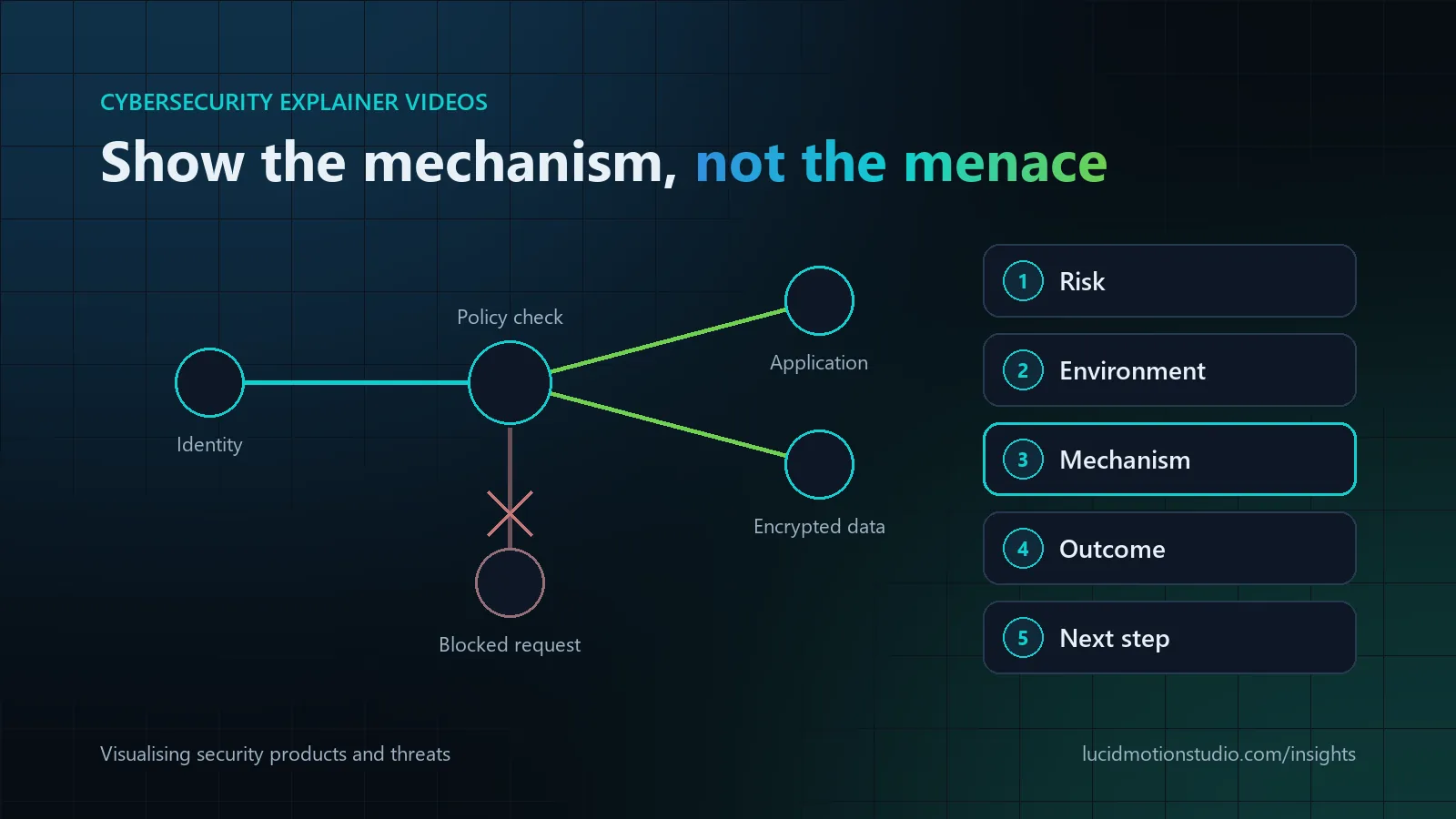
A good cybersecurity explainer shows the mechanism, not the menace: the risk in business terms, where your product sits in the customer's environment, how it detects, prevents or responds, and what the buyer gets. 2D motion graphics suit architecture and data flows, animated UI suits product workflows, abstract 3D suits brand and launch films, and most product explainers combine them. Technical accuracy is set by your security team at script and storyboard stage, and technical and executive audiences usually need separate cuts from the same production.
Key facts
- Skip the clichés. Hooded hackers and glowing padlocks say nothing about how your product works
- Style per idea: 2D for logic and architecture, UI for proof, 3D for brand moments, hybrid for most explainers
- Two audiences, two cuts: engineers need architecture; executives need risk and outcome in under a minute
- Sanitise every screen with documentation IP ranges (RFC 5737) and example domains (RFC 2606)
- No absolute claims. “Unhackable” and “100% protection” lose practitioners immediately
- Typical length: 60 to 120 seconds for a buyer-facing explainer
Why security products are hard to show on screen
Attacks happen in identities, packets and logs. Nothing in a security product is visible the way a machine or an app screen is, so every visual is either a metaphor or a diagram. The risk is that the metaphor becomes the message: hooded hackers, glowing padlocks, red skulls and falling green code. Practitioners read those images as generic, and they say nothing about how your product works.
A better approach treats the video as a visual model of the mechanism. The viewer should finish knowing where your product sits in their environment, what it watches or controls, and what happens when something goes wrong. Our cybersecurity and IT video page covers the formats we produce for security companies; this guide is about how to visualise the ideas inside them.
Choosing a visual approach for a cybersecurity video
| Approach | Best for | Limits |
|---|---|---|
| 2D motion graphics and iconography | Architecture, data flows, zero trust, policy logic | Can feel abstract without a human or product anchor |
| Animated or recreated UI | Product workflows, SOC consoles, dashboards, investigations | Needs careful data sanitisation and product-team review |
| Abstract 3D | Brand and launch films, scale, a sense of environment | Weaker at explaining exact logic; higher cost and longer timelines |
| Character-led 2D | Awareness training, consumer and small-business security, nontechnical buyers | Can oversimplify for technical audiences |
| Hybrid | Most product explainers: 2D for concepts, UI for proof, 3D accents for brand moments | Needs one design system so the styles do not clash |
Most B2B security explainers end up hybrid. The rule for each scene is to use the style that makes that specific idea easiest to understand, then keep colours, icons and motion consistent across styles. For a broader comparison of formats, see 2D vs 3D vs AI-powered animation.
How to visualise six core security concepts
Network security
What the viewer needs: where the boundaries are, what crosses them, and what happens to traffic that should not. What works: zones as clearly separated spaces, traffic as paths with consistent colour coding, and policy decisions as visible checkpoints. Showing an attacker trying to move sideways from one compromised device and being stopped at a segment boundary explains segmentation better than any wall graphic. Watch out for: literal walls of fire, and diagrams more complicated than the buyer's own network.
Authentication and identity
What the viewer needs: that every access request is evaluated, on which signals, and with what result. What works: one request followed through a decision point that checks identity, device and context, with the outcome shown as allow, step up (for example an extra factor) or block. This is also the clearest way to show zero trust, which NIST describes as moving defences from static, network-based perimeters to focus on users, assets and resources. Watch out for: implying that one control, such as multi-factor authentication, makes accounts impossible to compromise.
Data protection
What the viewer needs: where sensitive data lives, how it moves and who can read it. What works: data as objects that visibly change state, from readable to sealed, as they are encrypted in transit or at rest, with classification shown as labels that travel with the data. Showing who holds the keys answers the question security reviewers tend to ask first. Watch out for: presenting encryption as protection against every threat; it does not stop misuse by someone with legitimate access.
Cloud security
What the viewer needs: which security tasks belong to the cloud provider and which to the customer. What works: a layered stack with responsibilities colour-coded by owner, following the shared responsibility model that providers such as AWS publish, which separates security "of" the cloud from security "in" the cloud. A misconfiguration, such as storage left publicly exposed, often makes a more credible story than a dramatic outside attack. Watch out for: showing your product taking over responsibilities that stay with the provider or the customer.
Threat detection and response
What the viewer needs: the path from signal to decision to action, and roughly how long it takes. What works: telemetry from endpoints, identities and cloud services flowing into correlation, an alert with context, then a response, compressed in time but in the right order. Keeping attack steps consistent with a public knowledge base such as MITRE ATT&CK, which catalogues adversary tactics and techniques based on real-world observations, gives practitioners a reason to trust the scenario. Watch out for: showing detection as instant and fully automatic when your product relies on analysts, tuning or integrations. If people are in the loop, show them.
Product workflows
What the viewer needs: proof that the product does what the story claims. What works: real or recreated UI for two or three key moments, typically the alert, the investigation view and the resolution. Use sanitised data throughout. The IPv4 ranges reserved for documentation (192.0.2.0/24, 198.51.100.0/24 and 203.0.113.0/24, defined in RFC 5737) and reserved example domains such as example.com (RFC 2606) keep real addresses and customer names off the screen. Watch out for: screenshots from live environments that expose host names, user names or internal paths.
Technical and nontechnical buyers need different videos
| Audience | What they need to see | Typical length | Tone |
|---|---|---|---|
| Security engineers and architects | Architecture, integration points, data handled, deployment model | 2 to 4 minutes | Precise, specific terminology, no hype |
| CISOs and security leaders | Risk reduced, coverage, workload for the team, fit with their strategy | 60 to 120 seconds | Calm and evidence-led |
| Executives, finance and procurement | Business risk, outcome and the cost of doing nothing | Under 60 seconds | Plain language, no jargon |
| Employees (awareness training) | One behaviour to change and why it matters | 1 to 3 minutes per topic | Respectful and practical |
The efficient answer is two or more cuts from one script, design system and asset library, typically a technical version and an executive version. For executive cuts, the six functions of the NIST Cybersecurity Framework 2.0 (Govern, Identify, Protect, Detect, Respond and Recover) offer a widely recognised vocabulary for showing where your product fits.
Security messaging without fear, uncertainty and doubt
- Lead with the mechanism, not the menace. A short statement of risk earns attention; ninety seconds of threat imagery erodes trust.
- Avoid absolute claims. "Unhackable", "100% protection" and "stops every attack" invite scepticism from practitioners, and your legal team is unlikely to approve them.
- Source every statistic. Breach costs and attack volumes change every year. Name a current source on screen or in the description, or leave the number out.
- Do not make a tutorial. Show attack techniques at the level of public frameworks, never as step-by-step instructions.
- Respect the viewer in awareness training. Present mistakes as understandable and make reporting the hero action.
A review process that keeps security videos accurate
- Discovery from real material: a product demo, architecture diagrams, documentation and a sample scenario.
- A glossary: agreed names for components, features and threat types, used consistently in script, labels and voiceover.
- Script review by product marketing and a technical owner, covering every claim.
- Storyboard review by a security engineer, scene by scene, checking sequence, direction of data flow and where the product intervenes.
- Final review of on-screen text, interface and data, including a check that nothing confidential appears.
At Lucid Motion Studio this is the standard process for security work: scripts come from your documentation and demos, your security team reviews the storyboard before animation, and product claims and technical accuracy stay with your team.
Structure and length of a cybersecurity explainer video
A 60 to 120 second explainer for buyers who are not yet in a demo usually follows five beats:
| Beat | In a 90-second film | Content |
|---|---|---|
| Risk | 0 to 15 seconds | The problem in business terms, for this audience |
| Environment | 15 to 30 seconds | Where the customer is today: users, devices, cloud and data |
| Mechanism | 30 to 60 seconds | How the product detects, prevents or responds, step by step |
| Outcome | 60 to 80 seconds | What changes for the team and the business |
| Next step | 80 to 90 seconds | One call to action: a demo, a trial or an assessment |
Longer technical versions expand the mechanism with architecture and integration detail, and short social cuts take one beat each.
Cybersecurity video production at Lucid Motion Studio
We produce cybersecurity explainers, threat and attack-path animation, architecture visualisation, product demos and security awareness training for security vendors, MSSPs, MSPs and IT companies. See cybersecurity and IT video for published work, motion graphics for architecture and data-flow visualisation, SaaS and product videos for platform demos, and training videos for awareness programmes. Agencies and MSSPs can also brief us as a white-label production partner, and we never contact your client directly. We are happy to work under your NDA when confidentiality is required.
Sources
Related reading
Common questions
How long should a cybersecurity explainer video be?
Is 2D or 3D animation better for a security product?
How do you keep a cybersecurity video technically accurate?
Can the video show our real product interface?
A security product that is hard to picture? Let’s make it visible.
Tell us what buyers keep misunderstanding and share a demo, architecture diagram or documentation. We will recommend a visual approach and send a fixed-price quote in writing within 24 hours.